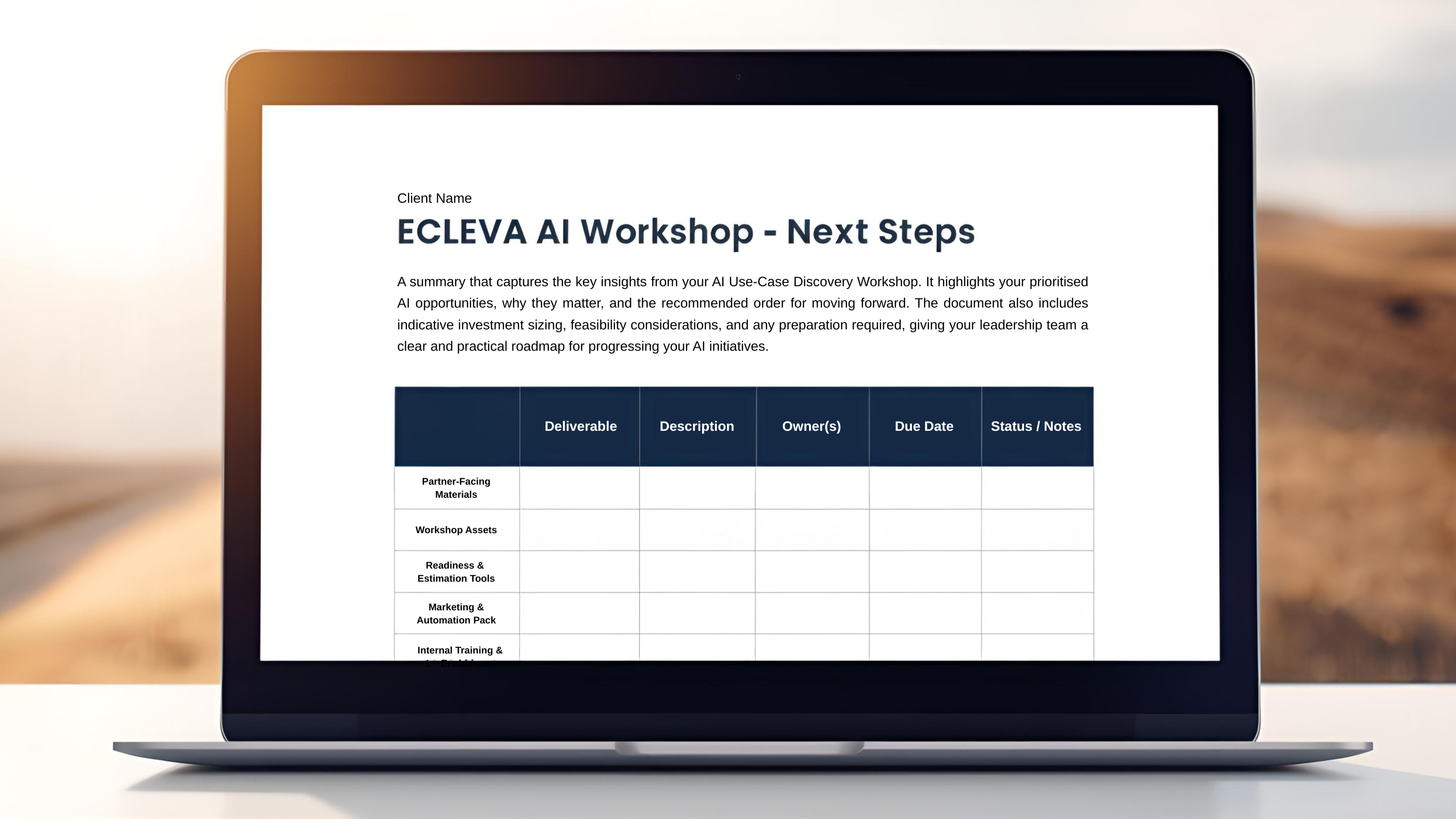

Dynamics 365 Agents
Microsoft AI Agents
— Intelligence Where You Work
— Intelligence Where You Work
Dynamics includes powerful built-in AI capabilities.
Microsoft’s AI Agents can streamline repetitive tasks and unlock deeper customer insights. With ECLEVA’s expertise, organisations can fully leverage the powerful AI capabilities within Dynamics 365—capabilities that often remain untapped without the right guidance.
Learn more about Microsoft’s built-in AI capabilities:
Dynamics 365 Customer Engagement (CE)
Dynamics 365 Business Central (BC)
Microsoft 365 Copilot
Dynamics 365 Customer Engagement (CE) AI & Copilot
Empower Your Teams. Strengthen Customer Connections. Drive Measurable Outcomes.
AI is transforming the way organisations engage customers. With Microsoft Dynamics 365 CE and Copilot, your sales, service, and marketing teams can work smarter, respond faster, and deliver more personalised experiences at scale.
At ECLEVA, we help organisations unlock the full potential of AI across their customer lifecycle — from lead generation through to service resolution.
AI for Sales
Give your sales teams the intelligence and automation they need to spend more time selling and less time searching, typing, or analysing.
AI-Powered Opportunity Insights
Spot high-potential leads using predictive scoring driven by customer behaviour, historical trends, and engagement patterns.
Sales Conversation Intelligence
Leverage AI to review call transcripts, detect sentiment, competitor mentions, objections, and suggest follow-up actions — helping reps boost win rates.
Email Assistance with Copilot
Draft personalised customer emails, follow-ups, and sales responses using natural language prompts. Copilot tailors tone, phrasing, and content to the context of the deal.
Automated Summaries for Leads & Opportunities
Quickly access concise summaries of email threads, notes, and account histories so your team is prepared before every meeting.
Pipeline Forecasting & Predictive Revenue
Use AI models to forecast revenue, flag pipeline risks, and recommend actions to improve accuracy.

AI for Customer Service
Deliver faster, smarter resolutions with AI-driven support tools.

AI Suggested Replies for Agents
Copilot recommends responses based on case history and real-time conversation context.
Case Summaries & Knowledge Article Suggestions
AI automatically summarises cases and suggests relevant knowledge articles to help agents resolve issues quickly.
Power Virtual Agents
Deploy chatbots to handle routine inquiries 24/7, reducing workload and improving customer satisfaction.
Intelligent Routing
AI evaluates case attributes and sentiment to route inquiries to the most qualified agent.
Sentiment & Intent Analysis
Monitor customer tone and urgency across email, chat, and voice channels to prioritise cases and improve service response.
AI for Marketing
Enhance campaign effectiveness and personalise customer journeys using data-driven insights.
AI Customer Segmentation
Identify audience segments automatically using behavioural and demographic insights — improving campaign targeting.
Content Ideas & Copy Generation with Copilot
Create email copy, social posts, event descriptions, and landing-page text using AI to speed up content production.
AI Journey Recommendations
Copilot suggests optimal customer journeys, channels, and touchpoints based on historical engagement patterns.
Predictive Lead Scoring
Understand which leads are most likely to convert and focus marketing efforts where they will have the biggest impact.

Cross-App Copilot & Productivity Features
Boost team efficiency across all CE modules.
Natural-Language Querying
Ask questions like “Show my at-risk opportunities” or “What cases need escalation today?” and get instant answers — without navigating menus.
Record Summaries for Accounts,
Contacts & Cases
Copilot provides concise bullet-point summaries so teams can get up to speed quickly.
Automated Data Capture
AI extracts key details from emails, Teams chats, notes, and attachments to update CE records automatically.
Task & Follow-Up Suggestions
Copilot identifies next steps based on interactions, helping teams stay proactive and organised.
Dynamics 365 Business Central (BC) AI & Copilot
Smarter Workflows. Faster Decisions. Better Outcomes.
Microsoft Dynamics 365 Business Central is evolving with powerful AI and Copilot capabilities designed to streamline operations, reduce manual effort, and give your team deeper business insights.
At ECLEVA, we help organisations leverage these tools to improve productivity, accuracy, and customer experience.
Core AI Features: Forecasting & Predictive Insights
Stay ahead of trends with intelligent predictions that support proactive decision-making.

Cashflow Forecasting
AI predicts future cash inflows and outflows, helping your finance team anticipate cash shortages, plan investments, and manage liquidity with confidence.
Sales & Inventory Forecasting
Machine learning forecasts demand at an item level, helping you optimise stock levels, reduce stock-outs, and avoid unnecessary purchasing.
Late Payment Prediction
AI identifies customers who may pay overdue, allowing you to adjust payment terms, follow up earlier, and protect your cash position.
Financial Automation
Reduce manual reconciliation and accounts payable workload with AI-driven automation.
Bank Reconciliation Assist (Copilot)
Copilot improves the accuracy and speed of bank reconciliation by:
- Automatically matching more bank transactions with ledger entries
- Suggesting likely G/L accounts for unmatched items
This feature dramatically reduces manual effort and improves month-end accuracy.
Payables Agent (Vendor Invoice Processing)
The Payables Agent streamlines end-to-end vendor invoice processing. It interprets invoice data, applies business rules, and posts accurately — cutting down processing time and reducing errors.

AI Content Creation & Product Enrichment
Enhance product information and improve customer engagement with AI-generated content.
AI-Generated Product Descriptions
Automatically create high-quality, accurate product descriptions using your existing item data — ideal for catalogues, e-commerce, or internal use.
Marketing Text for Items (Copilot)
Generate persuasive marketing copy for products, ready for your web shop (e.g., Shopify), email campaigns, or customer communications.
AI-Suggested Substitute Items
Copilot identifies similar items when a product is unavailable, helping maintain sales momentum and ensuring a seamless customer experience.
Sales & Customer Engagement Automation

Sales Order Agent
A breakthrough AI tool that automatically processes incoming customer emails. The agent:
- Identifies the customer
- Clarifies missing details through multi-turn email conversations
- Checks product availability
- Creates and sends a formatted PDF sales quote
This significantly reduces manual data entry and speeds up the sales cycle.
Productivity Boosters with Copilot
Work smarter with AI-assisted features embedded directly into Business Central.
Natural-Language Chat with Copilot
Ask questions such as “Show overdue invoices” or “Which items are low on stock?” and get immediate, contextual answers — no need to navigate multiple screens.
Record Summaries in the FactBox
Copilot provides concise, role-based summaries of customers, items, and sales orders so you can understand key information at a glance and take action faster.
Sales Line Suggestions
Copilot can draft lines for sales quotes, orders, and invoices based on simple natural language instructions or structured data.
Data Analysis in List Pages
AI-powered analysis mode helps you summarise, group, and explore list data quickly — reducing time spent on manual reporting and spreadsheet work.
Autonomous Process Agents (Emerging)
Microsoft continues to expand AI-driven autonomous agents across Business Central. These agents handle routine financial and operational tasks, allowing your team to focus on higher-value work.
Microsoft 365 & SharePoint with Copilot
Work Smarter. Create Faster. Collaborate Better.
Microsoft 365 and SharePoint now include advanced AI and Copilot capabilities designed to transform productivity, streamline document management, and enhance organisational collaboration.
At ECLEVA, we help organisations unlock the full value of Microsoft 365 by integrating AI-driven tools that improve efficiency, reduce manual effort, and empower teams to focus on strategic work.
AI Productivity Across Microsoft 365
Bring AI into the everyday apps your team uses — Word, Excel, Outlook, PowerPoint, Teams, and more.
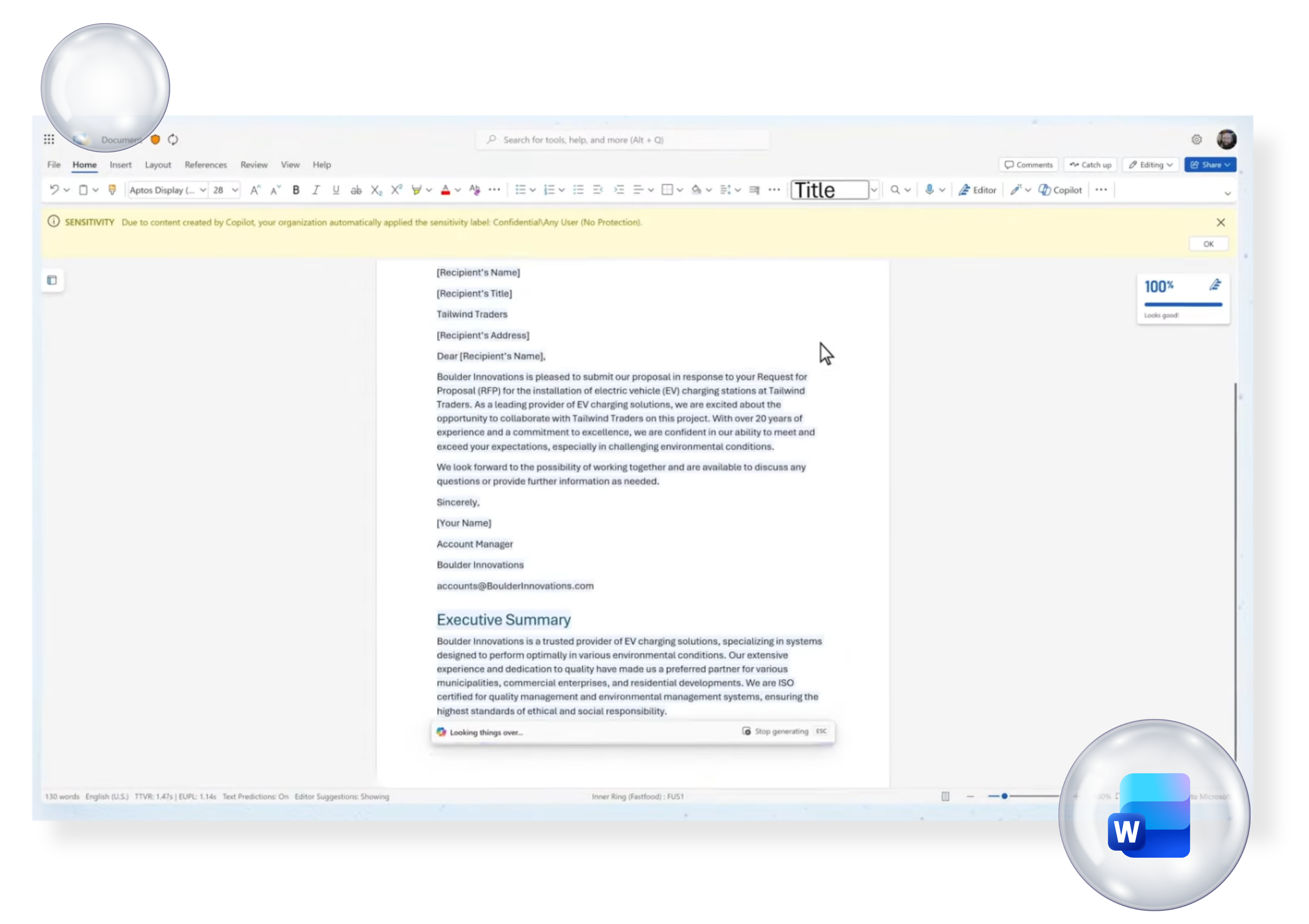
Copilot in Word
Generate high-quality documents instantly using simple prompts. Copilot can draft reports, create proposals, rewrite existing content, and adjust tone to suit your audience.
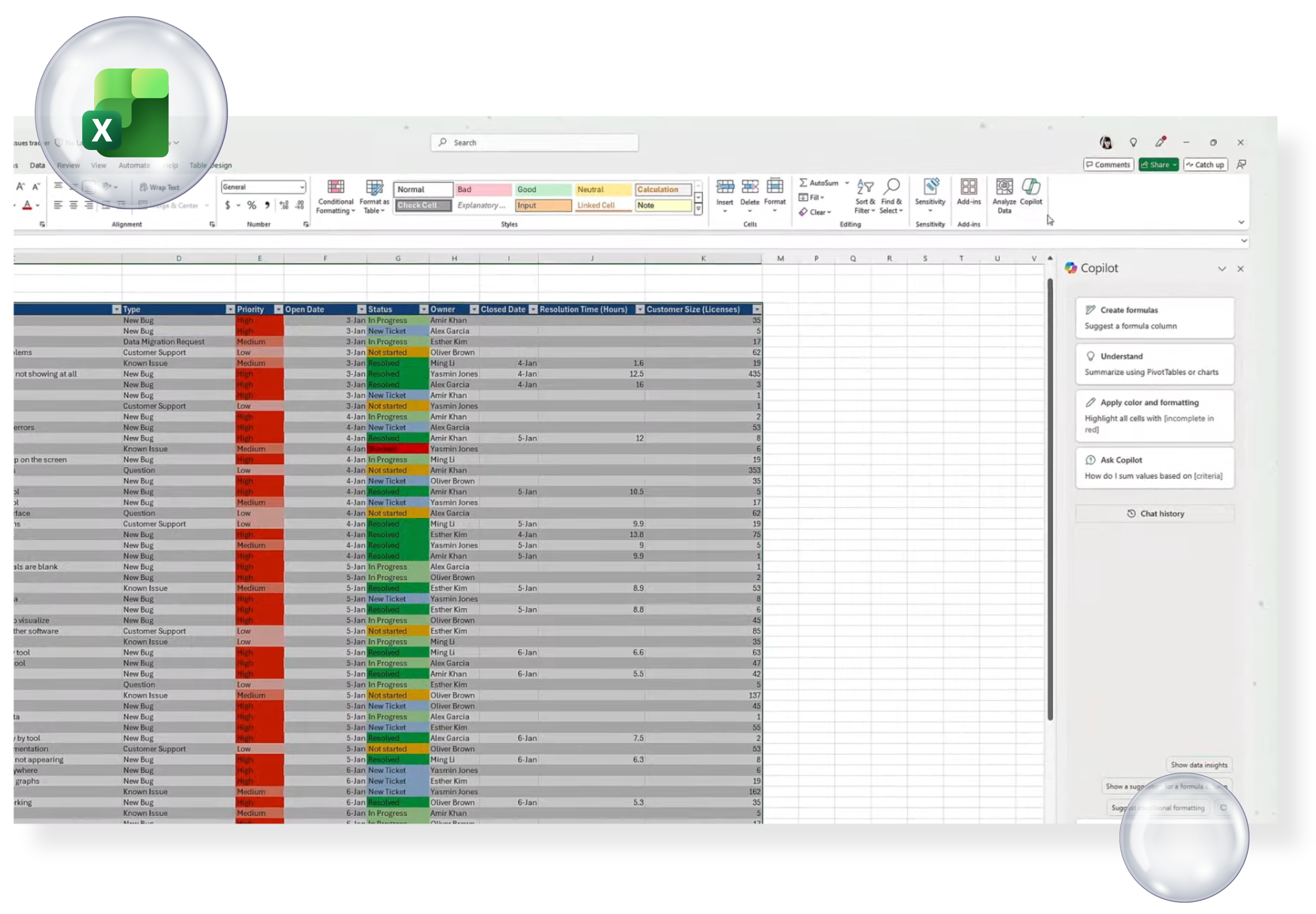
Copilot in Excel
Ask natural-language questions such as “Highlight the top trends” or “Explain variances month-to-month”. Copilot identifies patterns, summarises data, builds formulas, and generates visualisations.
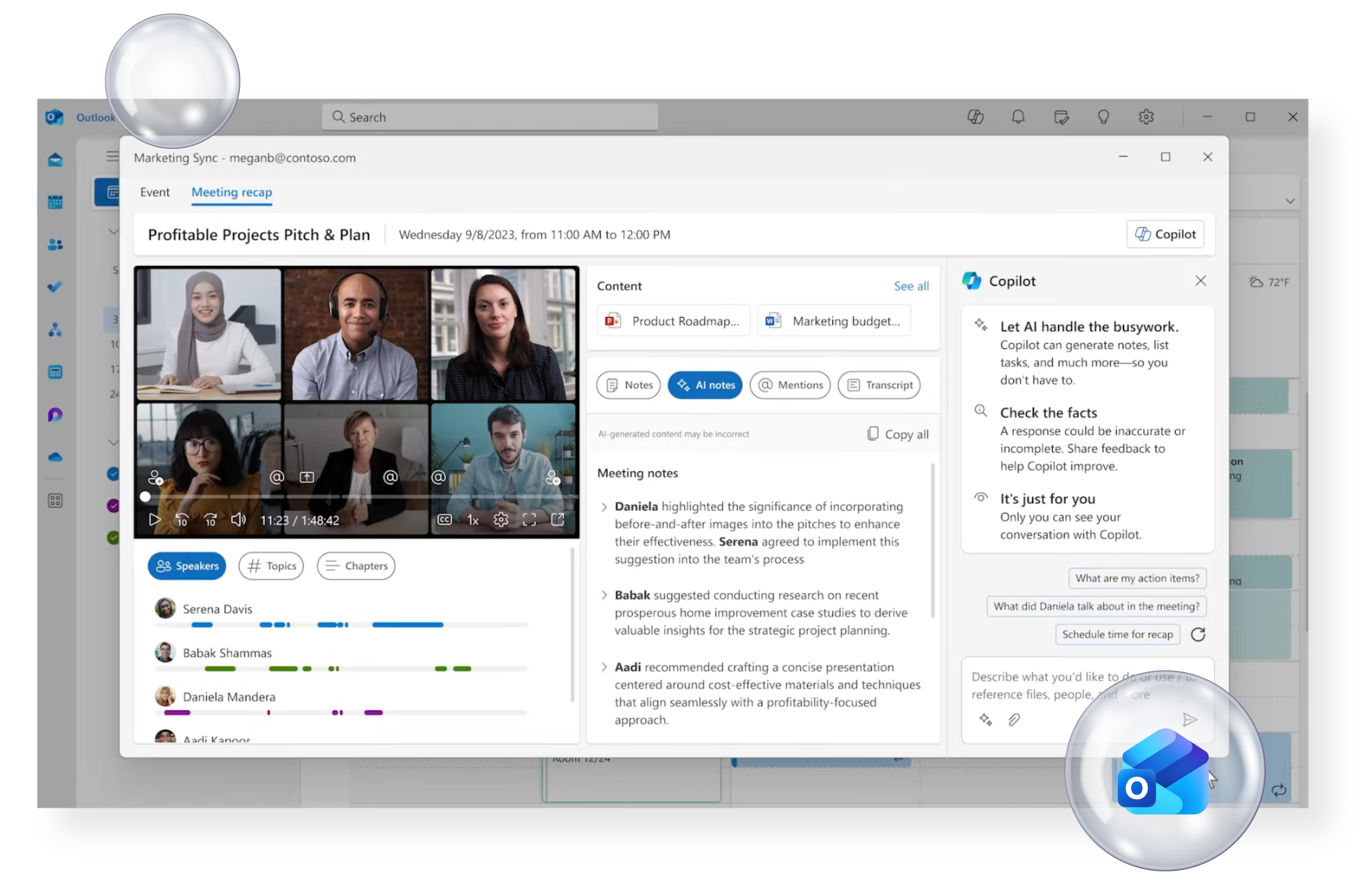
Copilot in Outlook
Speed up communication with AI-generated email drafts, quick replies, meeting summaries, and tone adjustments. Copilot also helps you prioritise messages that need attention.
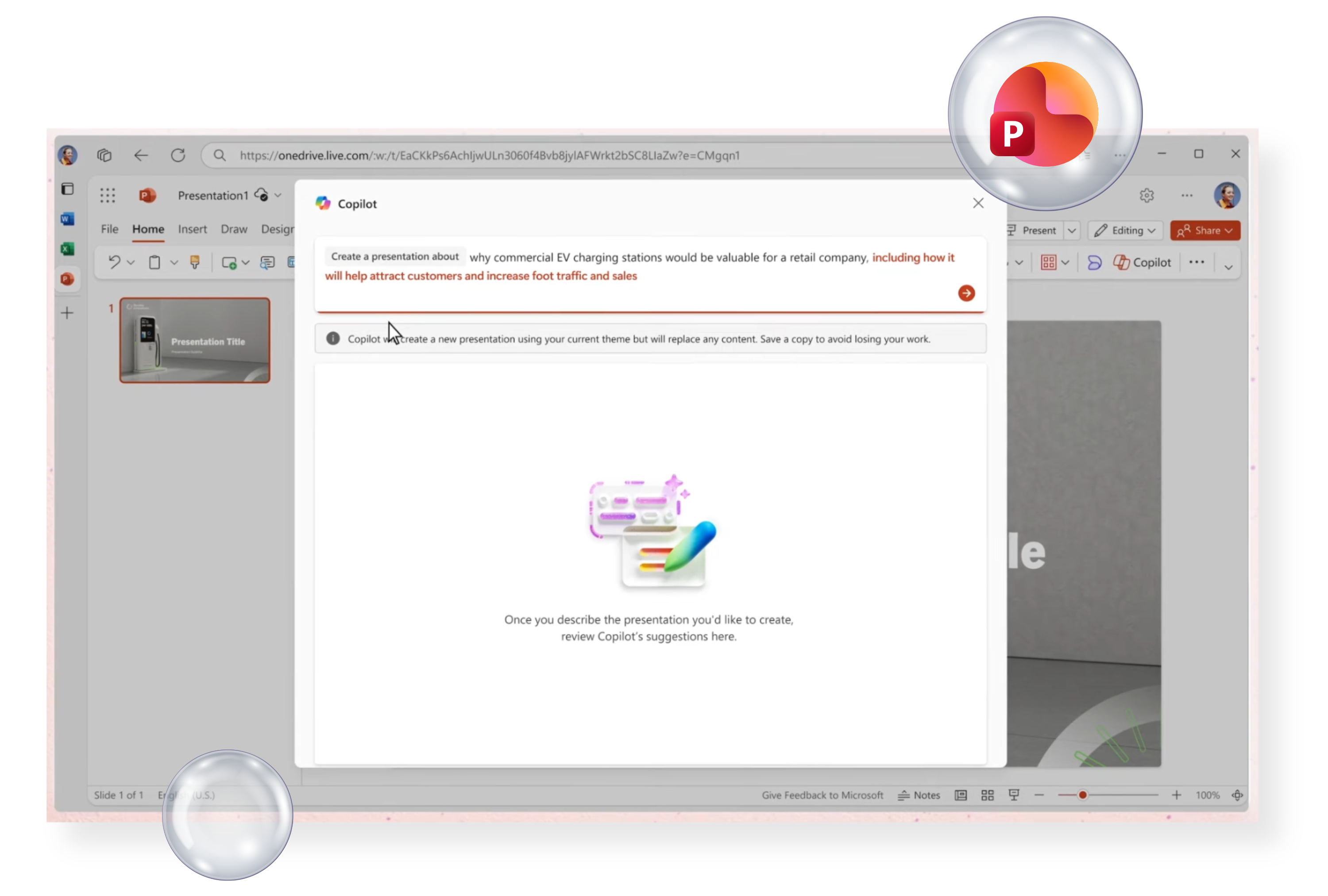
Copilot in PowerPoint
Turn documents into presentations with one click. Copilot can design slides, draft speaker notes, improve layouts, and create visuals aligned with your brand.
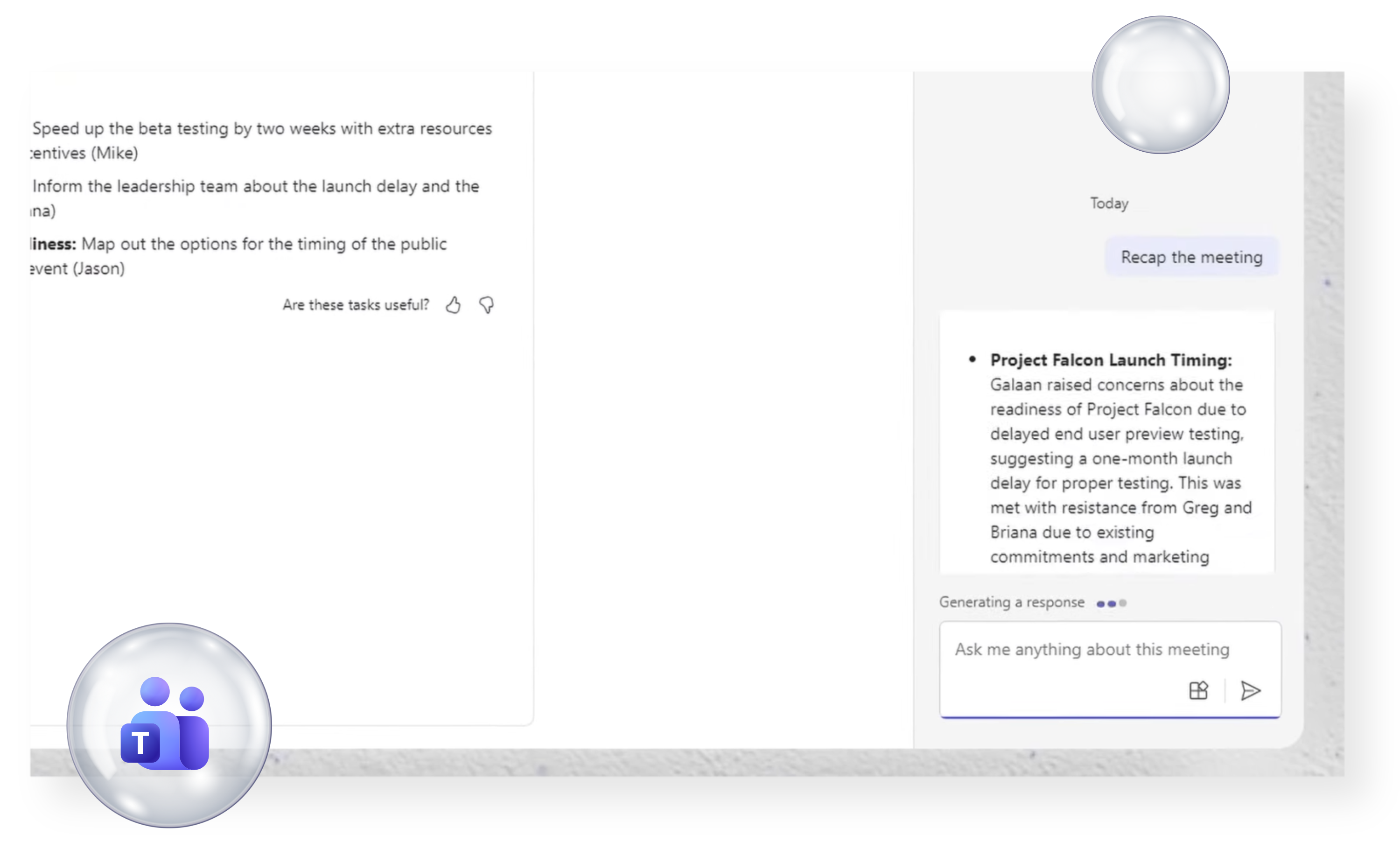
Copilot in Teams
Improve meeting outcomes with AI-powered:
- Meeting recap and action items
- Speaker-specific summaries
- Intelligent search across discussions
- Real-time insights and note-taking
Perfect for hybrid or distributed teams.
SharePoint & Copilot: Intelligent Content Management
SharePoint evolves from a document repository into an AI-powered knowledge hub.
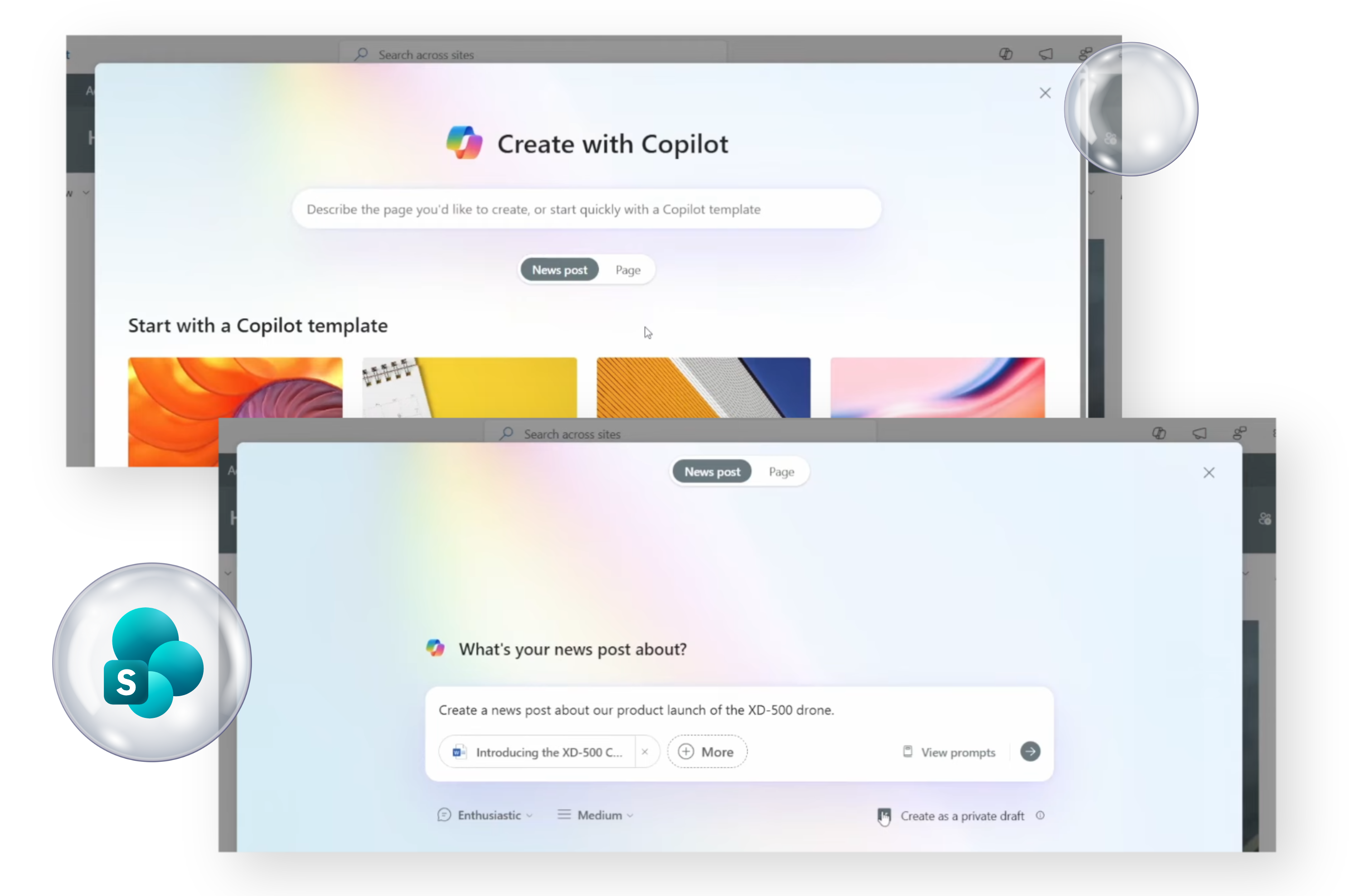
AI-Generated Page & Site Content
Copilot can draft SharePoint pages, news posts, and site content from simple prompts — helping teams publish content faster and more consistently.
Content Understanding & Summarisation
Summarise long documents, policies, or pages stored in SharePoint to quickly identify key points, decisions, or actions.
Metadata & Tagging Automation
AI automatically tags documents, applies metadata, and improves searchability across libraries — making governance easier and improving findability.
Enhanced SharePoint Search with AI
A more intuitive, conversational search experience helps users find documents, people, and knowledge instantly.
Microsoft 365 Copilot Studio
Build custom AI assistants that integrate with Microsoft 365 and SharePoint content.
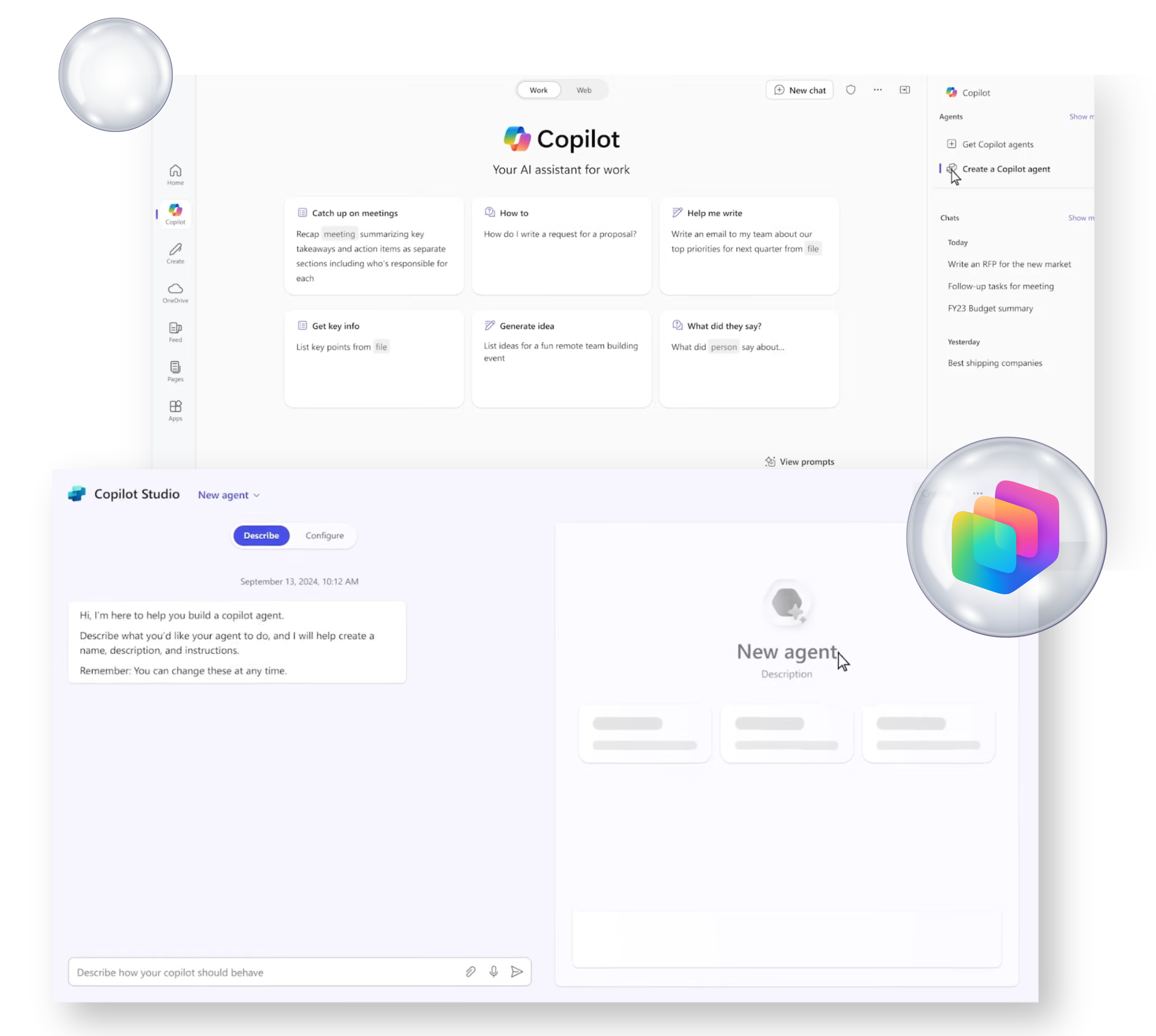
Custom AI Chat Experiences
Create tailored chatbots for staff or external users using your SharePoint-based knowledge sources.
Enterprise Knowledge Integration
Ask questions and get answers directly from your organisation’s documents, policies, and procedures — powered by Microsoft Graph and SharePoint data.
Process Automation
AI agents can trigger workflows, raise tickets, update lists, and surface actions to streamline internal service processes.
Collaboration & Knowledge Management Enhancements
Copilot for OneNote
Generate summaries, structure your notes, create action lists, and brainstorm ideas using natural language.
Loop Components with AI Support
Copilot helps draft and refine Loop components — enabling teams to co-create content in real time across Teams, Outlook, and Word.
Microsoft Viva + AI Insights
AI-powered Viva modules provide:
- Employee sentiment analysis
- Personal productivity recommendations
- Organisational trend insights
- Knowledge surfacing across roles
Ideal for improving culture, communication, and employee enablement.
Security & Compliance Intelligence
Use AI to strengthen your organisation’s governance and risk management.
Microsoft Purview + AI Classification
Automatically detect, label, and protect sensitive information across SharePoint, OneDrive, and emails.
Insider Risk
AI Alerts
AI models identify unusual behaviour patterns, data leaks, and security threats early.
AI Compliance
Summaries
Generate insights from audit logs, compliance activity, and security reports — making oversight much more efficient.